When I first came up with the idea of making a custom Where's Wally? book featuring the Clevergy team, I thought it would be as easy as asking AI: "Put these characters into a Where's Wally world". But reality turned out quite differently, and I ran into two major obstacles.
1. Hitting the AI Brick Wall
When trying the direct approach, I ran into two persistent issues:
- The "Giant Wally" Syndrome: AI didn't understand the concept of hiding. Wally always appeared huge and in the foreground, completely ruining the game because you spotted him instantly.

- World Scaling and Consistency: I tried generating custom Wally-style scenes from scratch (like our cable skiing retreat at the San Juan reservoir), but couldn't get it to work. At first glance, it looked convincing:
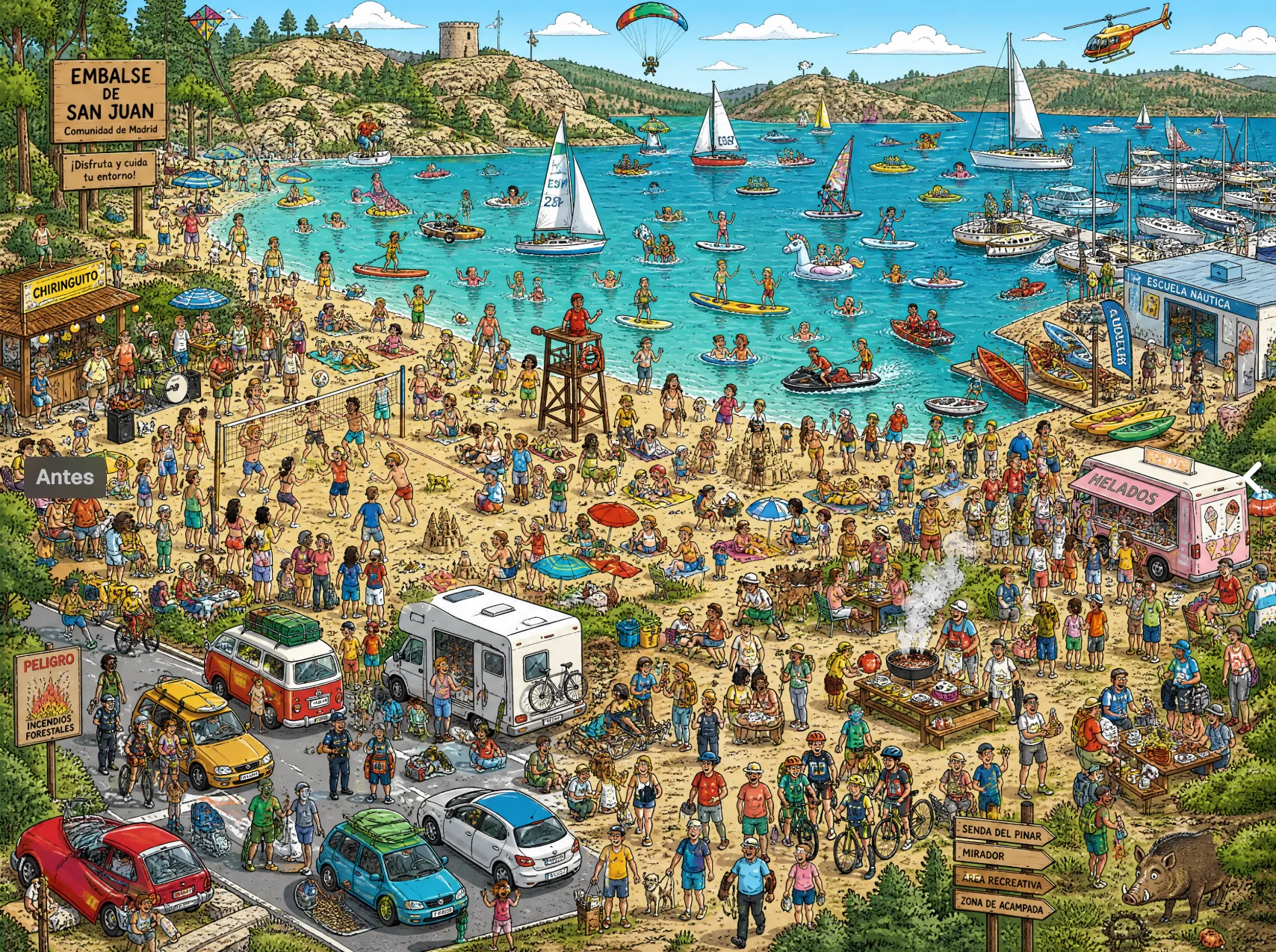
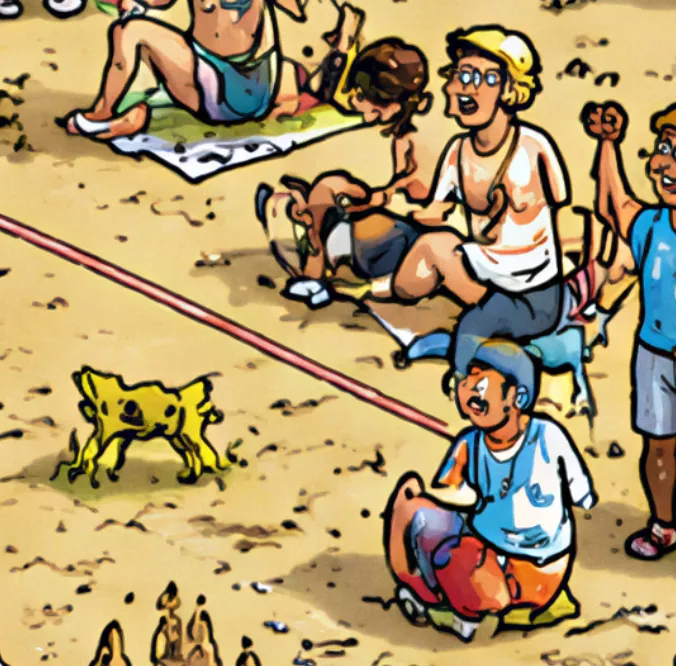
- However, the images lacked consistency: bizarre shapes appeared, and as soon as you zoomed in to search for characters, you realized they were distorted blobs rather than actual people.
2. If You Can't Go Through the Wall, Go Around It
Seeing that generating scenes from scratch didn't work, I thought: «What if I take official high-resolution "Where's Wally?" maps and hide my team inside them?»
I searched online, downloaded high-quality original backgrounds, and finally had the perfect base to work on.
3. Creating Custom Wallys
To make my teammates blend into the background, I couldn't just paste their real photos: they needed to match Martin Handford's drawing style.
The method that worked best was super simple:
- The Drawing Style Reference: Having the classic Wally style clearly defined as a base for the AI.
- The Isolated Face: Providing each teammate's face image and instructing "put this face onto this style" over a clean background so it wouldn't invent weird scenery.
4. Layout & Formatting (The Hardest Part)
What really helped me learn was making a mistake on my first test print:
- The A3 Mistake: At first, I printed the first world (the beach scene) in A3 size and thought I had solved it. However, when trying to assemble the booklet, I realized a major issue: stapling full A3 pages meant the second page completely covered the right half of the first page.
- The A4 Halves & Booklet Mode Solution: I asked ChatGPT and discovered I needed to generate each scene in two A4 halves. Printers have a built-in "booklet mode" that knows exactly how to pair and bind pages correctly.
- Figma Template & Slicing Plugin: To set it up easily, I found an A4 Figma template and used a plugin that automatically sliced the pages in half, saving me from a tedious manual process.
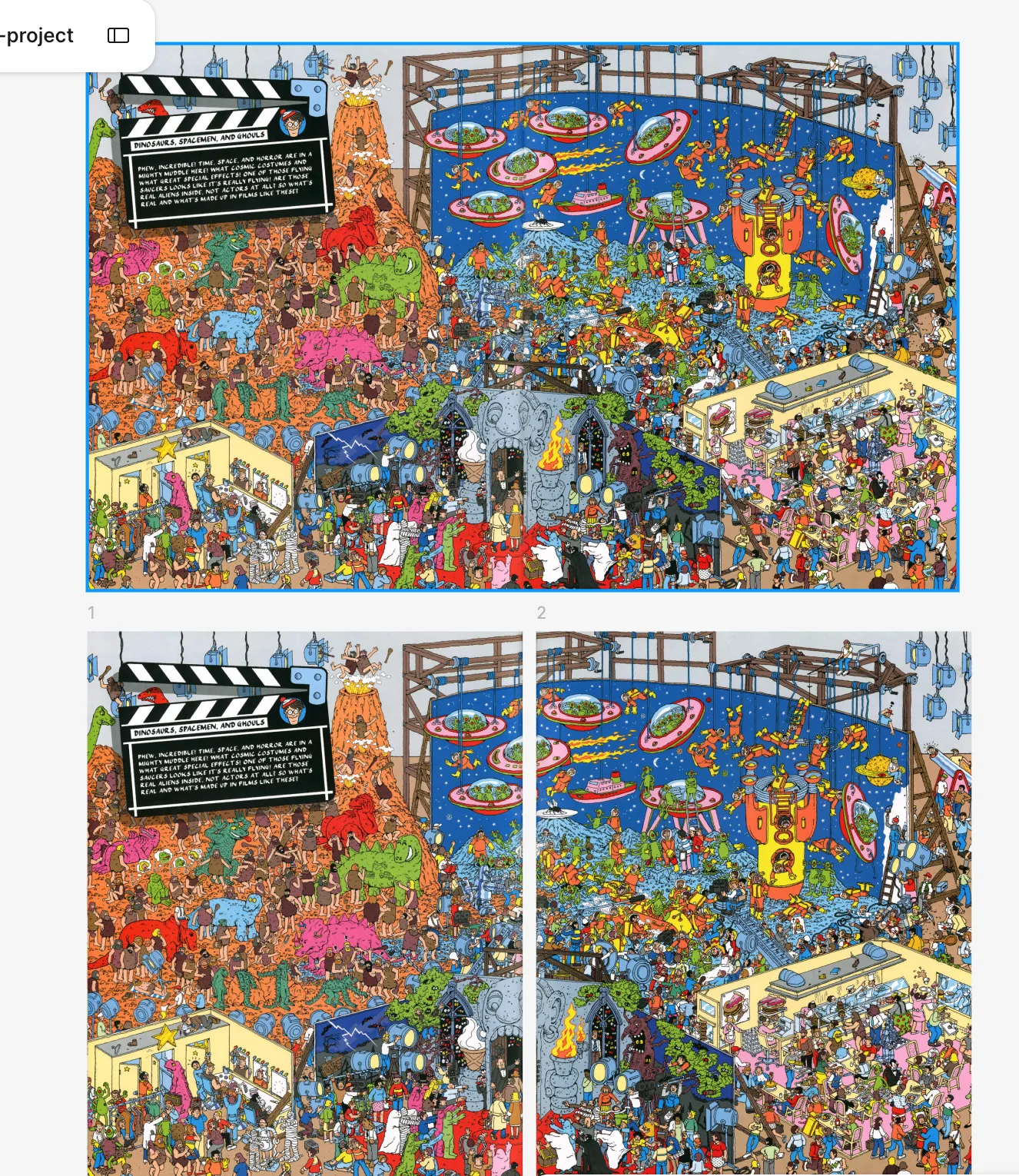
- The Unavoidable Gap: Fitting the map into A4 left an empty space at the top due to differing aspect ratios. Stretching it distorted the drawing, and zooming in cropped out parts of the map; I had to leave that gap no matter what.
- Killing Two Birds with One Stone (The Search Checklist): Whenever I open my own Where's Wally? book days or months later, I never remember which characters I've already found, and marking up the original drawing is terrifying. So I used that top empty space to place the avatars: players can check them off right there without ruining the artwork.
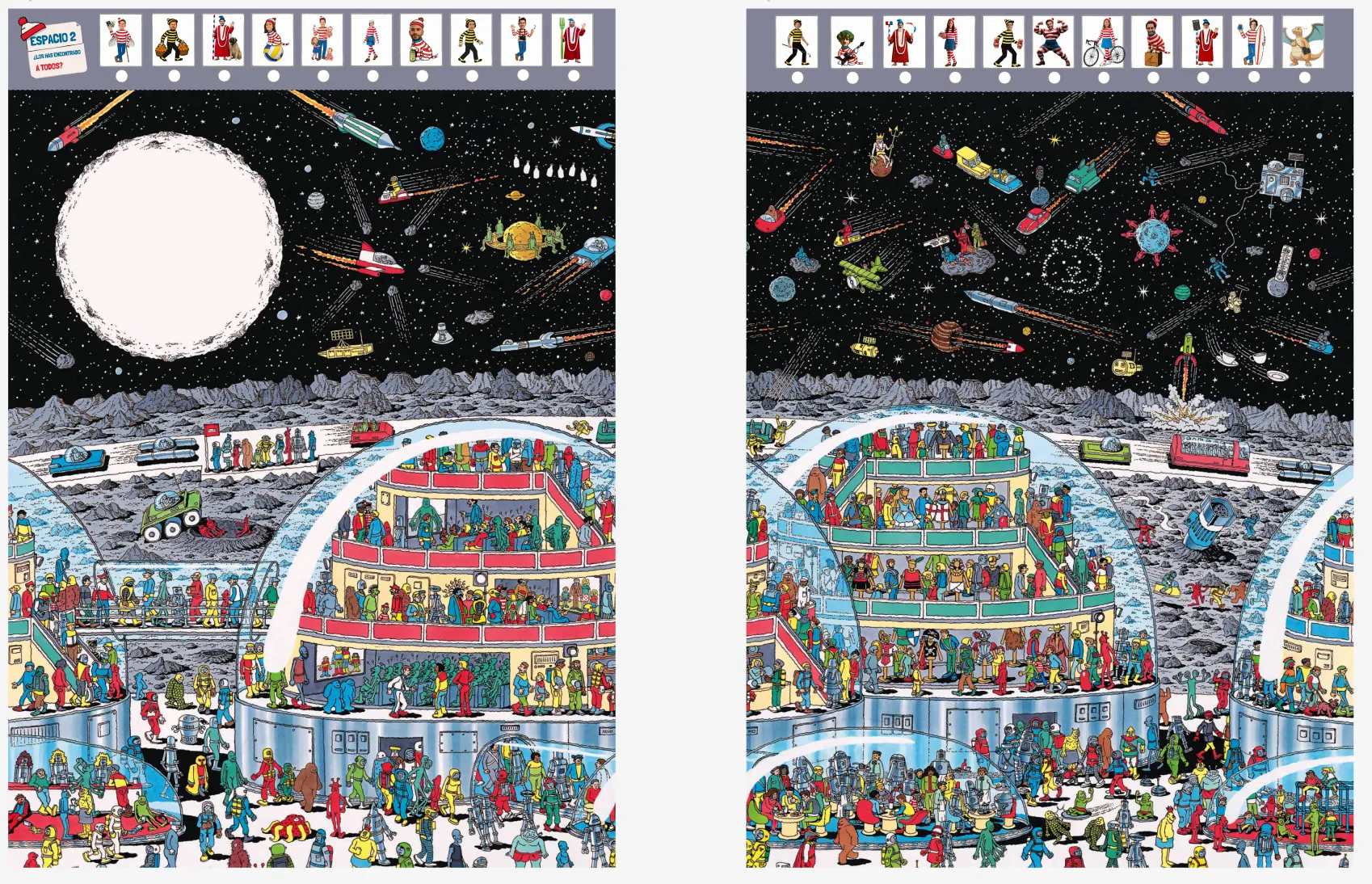
5. Hiding the Characters
Since I knew from experience that AI wouldn't integrate or hide the characters properly, I did it myself by hand in Figma. I placed each avatar and cropped their edges so they appeared to peek out from behind buildings, columns, or crowds.
6. Exporting, Printing, and the Final Result
-
How to Export It: Exporting it the usual way I do in Figma doesn't work. Searching online, I found out that you need to go to the top menu bar: File > Export frames to PDF, and that's it. That exports all frames in order as a single PDF rather than exporting individual loose images.
-
How to Print It: Here it's best to ask the copy shop for a little help to check if your file is properly set up, because they deal with booklets all the time.
-
Final Result: Incredible! Here it is: